


How to Charge Boutiq Switch: Easy Steps for Fast Charging
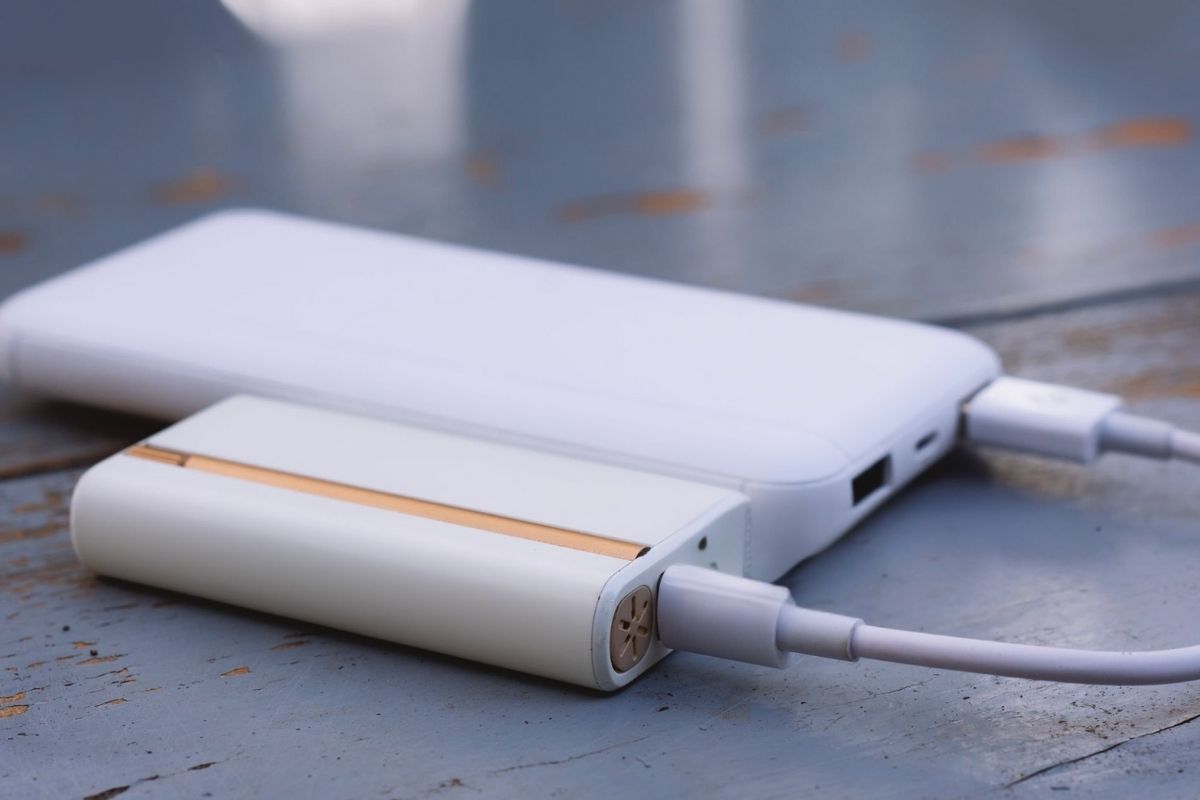
Struggling to charge your Boutiq Switch? This guide will walk you through the steps on how to charge Boutiq Switch to get your device powered up quickly and efficiently. We’ll cover everything from using the right cable to understanding battery indicators and troubleshooting common issues. By following these tips, you’ll ensure you get the best experience with your Boutiq Switch.
Key Takeaways
- Charging your Boutiq Switch is quick and efficient with the USB-C cable, ensuring minimal downtime and compatibility with modern chargers.
- Monitoring the device’s indicator light—red or amber while charging, green when fully charged—provides clear communication of the battery status.
- To optimize battery life, disconnect the charger after a full charge and avoid prolonged charging in extreme temperatures or while using the device.
- Proper charging ensures a seamless vaping experience by maintaining consistent performance and uninterrupted use.
Charging Your Boutiq Switch: A Quick Overview
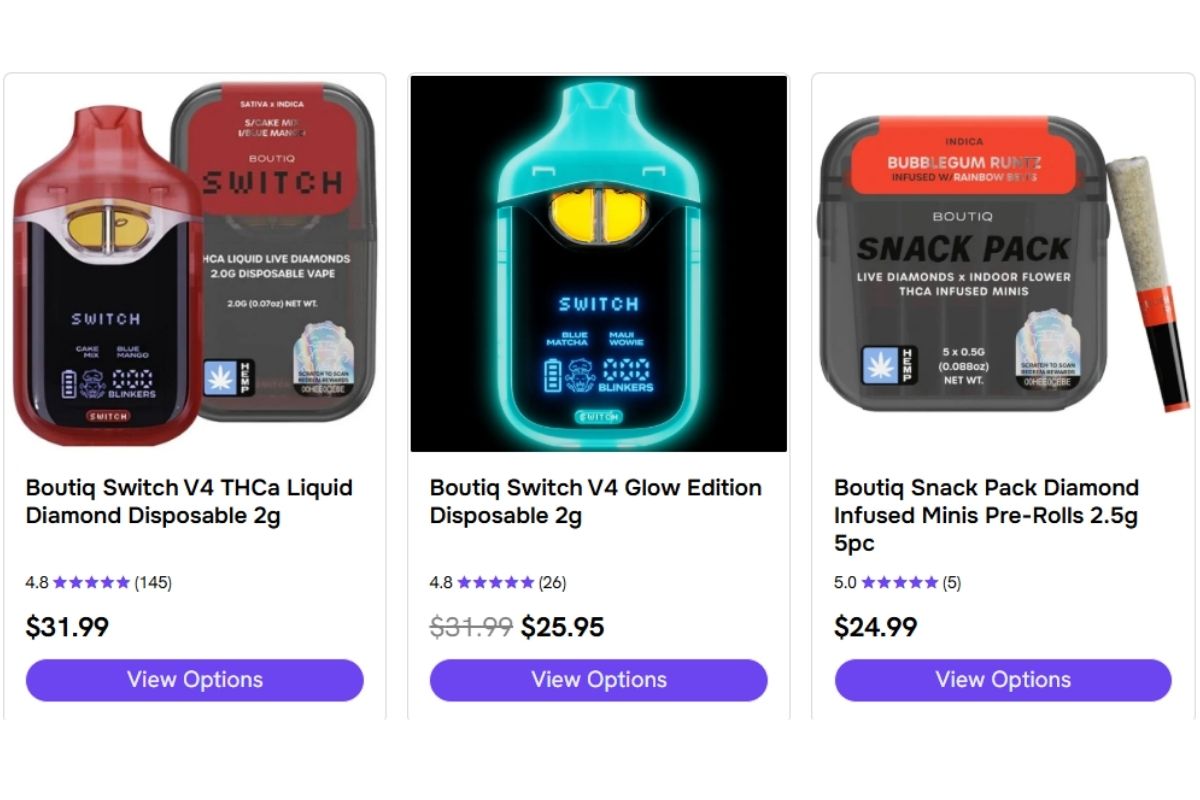
Charging your Boutiq Switch is a breeze, thanks to its USB-C rechargeable battery. The included USB-C cable ensures a reliable and fast charging experience, so you can get back to enjoying your vape sessions without much downtime. This sleek design choice not only simplifies the charging process but also aligns with modern technology standards, making it compatible with various charging devices you might already own. The Boutiq Switch is a disposable vape designed for convenience and portability, making it ideal for users seeking a hassle-free experience. Additionally, the Boutiq Switch Disposable features innovative dual-tank technology, enhancing its functionality and providing a superior vaping experience. The Boutiq Switch allows users to toggle between two different strains for a customizable experience.
When you first unbox your Boutiq Switch, you’ll find the USB-C cable neatly packed in its packaging, ready for use. The convenience of taking the device out of the box and starting to use it immediately means you can enjoy your vape right away, without any complicated setup. To activate the Boutiq Switch Disposable, simply inhale gently from the mouthpiece. Each Boutiq Switch Disposable is pre-filled with high-quality e-liquid, eliminating the need for refills.
After unboxing, always check the packaging for authenticity by inspecting details such as tamper-proof seals and batch numbers—these details help ensure you have a genuine product and a safe, consistent vaping experience. Boutiq carts are high-quality, pre-filled options that pair perfectly with the device, offering a premium and flavorful experience.
Using the right charger is crucial. Ensure the charger you use has the appropriate power rating to maximize charging efficiency and maintain your device’s battery life. This simple action can significantly enhance your vaping experience, ensuring your Boutiq Switch is always ready. For faster and more stable charging, it is recommended to use a wall adapter instead of a computer.
Understanding Battery Indicators
Battery indicators are your best friends when it comes to understanding the status of your Boutiq Switch. The device features an intuitive light system that communicates its charging status. When you plug in the USB-C charger, the indicator light will turn red or amber, signifying that the battery is actively charging. If the battery was completely drained, it may take a little time to register the charge when reconnected.
Pay close attention to these lights:
- Once the device reaches a full charge, the light will change to green, indicating that it’s ready for use.
- This clear visual cue takes the guesswork out of charging, ensuring that you can monitor your device’s status at a glance.
- A steady green light means you’re all set to enjoy your next vaping session.
Occasionally, you might notice the indicator light blinking or displaying an unusual color, such as yellow. These signals often indicate an error, such as a short circuit or an issue with the battery or charger. If this happens, don’t panic. Knowing these indicators aids in troubleshooting and resolving any issues promptly, keeping your vaping experience uninterrupted.
If the issue persists, inspect the contact points between the cartridge and the device to ensure they are clean and properly connected. Cleaning the contact points with isopropyl alcohol can improve the connection to the cartridge. Periodically clean the charging port to prevent dirt or oil buildup, which can interfere with the charging connection. Periodically check your device for any signs of damage, such as swelling, rust, or leaks, to ensure safe and efficient operation.
If troubleshooting does not resolve the problem, it is recommended to contact customer support for further assistance. When reaching out for support, having proof of purchase may be required.
Step-by-Step Guide to Charging Your Boutiq Switch
| Step | What to do | Estimated time | Indicator / What you’ll see | Notes / Troubleshooting |
|---|---|---|---|---|
| 1 | Power off the Boutiq Switch (if it’s on) | 5–10 sec | Screen off / device silent | Preserves battery health and speeds charging. If it doesn’t power off, proceed to step 2 anyway. |
| 2 | Locate the charging port and the correct cable (USB-C or supplied cable) | 10–20 sec | Port usually on bottom or side; cable end fits snugly | Use the original or a high-quality cable and adapter (5V/1–2A recommended). Avoid forcing the plug. |
| 3 | Plug cable into the charger, then into a wall outlet or USB port | 5–10 sec | Charger LED (if any) lights; phone/PC port may not show activity | Wall outlet typically charges faster than a laptop USB port. If using a power bank, ensure it’s on. |
| 4 | Connect cable to the Boutiq Switch charging port | 2–5 sec | Device may show charging icon, LED, or tiny animation | If no indicator, gently wiggle cable to ensure connection — don’t bend the port. |
| 5 | Confirm charging status (on-screen battery icon or LED) | 5–20 sec | Battery icon with bolt, percent increasing, or LED color change | If nothing appears after 30 sec, try a different cable/adapter or inspect port for debris. |
| 6 | Leave to charge until sufficiently full (30–60 min for partial; 1.5–3 hrs for full, device dependent) | Varies | Percentage rises to desired level (e.g., 80% or 100%) | For battery longevity, charge to 80–90% for daily use; full charge when you need max runtime. |
| 7 | Unplug safely: remove cable from device first, then from the outlet | 5–10 sec | Charging icon disappears; LED off | Avoid yanking cable. Store cable properly. |
| 8 | Power on and check battery level and functionality | 10–20 sec | Normal startup; battery % reflects charge | If device won’t turn on after charging, try a longer charge and a different adapter; contact support if still dead. |
Charging your Boutiq Switch vape device is straightforward and can be broken down into three simple steps. The Boutiq Switch is equipped with advanced charging technology to ensure efficient and reliable performance. Following these steps will ensure your device charges efficiently and maintains its battery life over time.
Step 1: Connect the USB-C Charger
Start by securely connecting the USB-C charger to the charging port. Ensure the USB-C connector is oriented correctly before insertion to prevent damage and ensure a stable connection.
After plugging in the charger, verify that it’s securely connected. A loose connection can interrupt charging and lead to longer or incomplete charges. A quick check can save time and frustration.
Step 2: Monitor the Indicator Light
After connecting the charger, the next step is to monitor the indicator light. This light is crucial for understanding the charging status of your device. When the light turns red or amber, it means the device is charging.
Keep an eye on the light as you go about your day. Once it changes to green, your Boutiq Switch has reached a full charge and is ready for use. This visual cue helps you avoid overcharging and keeps your device ready for your next vaping session. If you want to learn more about it, you can visit the official website.
Step 3: Disconnect After Full Charge
Disconnect the charger once the device reaches a full charge to extend the battery’s life. Leaving it plugged in can cause overcharging, degrading the battery over time.
Promptly unplugging the charger after full capacity helps prevent battery damage and keeps your premium device in optimal functional condition, significantly enhancing its longevity and performance.
Factors Influencing Charging Time
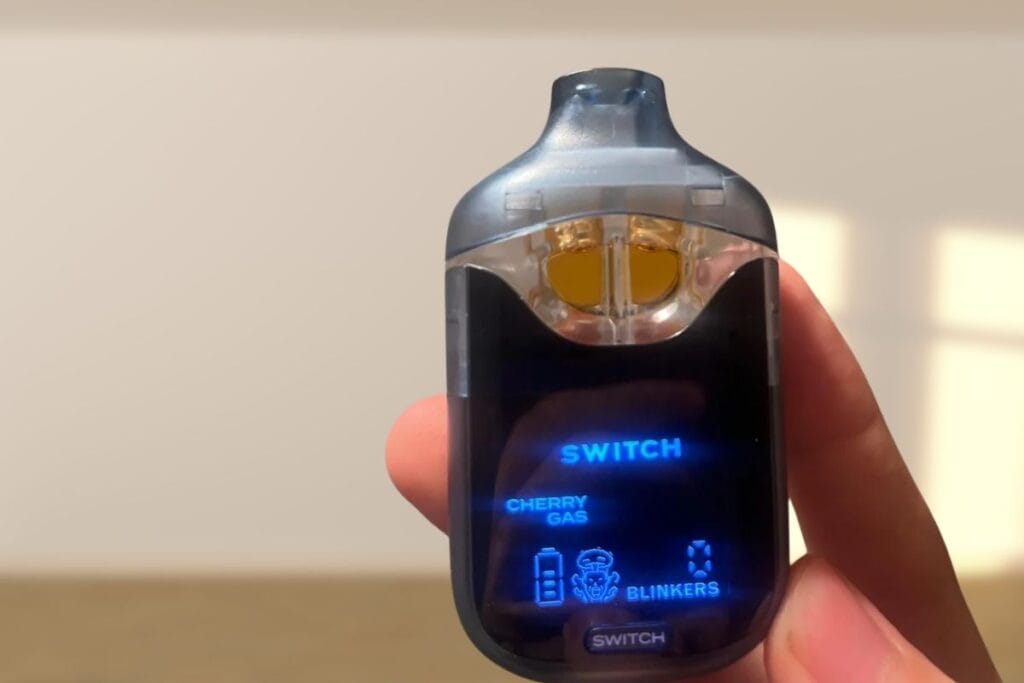
The charging time of your Boutiq Switch can be affected by several factors. These factors can vary. Typically, it takes 1 to 2 hours to achieve a full charge, depending on conditions. Knowing these factors helps you manage your device’s charging schedule better.
Ambient temperature is a key factor; extreme temperatures can hinder charging efficiency. Charge your device in a cool environment to combine optimal performance with efficiency. For best results, always charge and store your device in a cool, dry place to maintain its functionality and longevity.
Using the device intensively while it charges generates extra heat, which can slow the charging process and accelerate battery wear. Avoid charging in direct sunlight or a hot car to prevent stress and potential malfunction.
By following these tips, you can reach optimal charging performance and extend the life of your Boutiq Switch.
Optimal Charging Tips
To get the most out of your Boutiq Switch, follow these optimal charging tips. A superior quality USB-C cable and a 5V USB wall adapter can significantly enhance charging speed, ensuring your device is ready quickly. Avoid prolonged overnight charging, as continuous heat exposure can degrade the battery. Charge when you can monitor it and disconnect promptly after reaching full charge.
Minimize device movement while charging to reduce wear on the cable and port. Store your device upright in a cool place to maintain performance and longevity. Regularly clean the USB-C charging port with a dry cloth or cotton swab to prevent buildup of dirt or e-liquid. These simple steps can go a long way in ensuring your Boutiq Switch remains in top condition. Additionally, storing the device upright in a cool, dry place can prevent leaks or damage, further extending its lifespan.
Following these tips can elevate your device’s performance and overall satisfaction. Don’t settle for subpar charging habits—choose the best practices to keep your Boutiq Switch at its peak.
Troubleshooting Common Charging Issues
| Issue | Possible Cause | How to Fix It | Notes / Tips |
|---|---|---|---|
| Vape not charging at all | Faulty cable, adapter, or port | 1. Try a different USB-C cable and adapter.2. Clean charging port with a soft, dry brush.3. Plug into a wall outlet instead of a laptop. | Always use the original Boutiq cable and charger for best results. |
| Charging light not turning on | LED indicator malfunction or loose connection | 1. Leave it plugged in for 10–15 mins; some models take time to light up.2. Gently reconnect the cable. | If vape still charges (warm battery or hits after), LED may be faulty. |
| Device charges slowly | Low-power USB source or dirty port | 1. Switch to a wall outlet (5V/1–2A adapter).2. Clean port carefully.3. Avoid using while charging. | Charging from laptops or power banks can be slower. |
| Battery not holding charge | Old battery or overuse | 1. Fully discharge, then fully charge once to recalibrate.2. If issue persists, battery may need replacement. | Avoid leaving device plugged in overnight regularly. |
| Device gets hot while charging | Charging too long or blocked airflow | 1. Unplug immediately if device overheats.2. Charge in a cool, ventilated area.3. Remove any attached cartridge while charging. | Slight warmth is normal, but excessive heat isn’t. |
| Port feels loose or wobbly | Repeated cable stress or damage | 1. Stop using that cable immediately.2. Use a snug, good-quality cable.3. Contact Boutiq support if port moves visibly. | Avoid pulling the cable out by force. |
| Vape not hitting after full charge | Battery protection mode triggered or cartridge issue | 1. Try pressing the button 5x rapidly to power on.2. Check cartridge connection and clean contacts.3. Test with another cartridge. | If light blinks but doesn’t hit, it’s likely a cart or coil issue. |
Charging issues with your Boutiq Switch can be frustrating but are often easy to resolve. A common issue is a loose connection between the battery and the cartridge. Ensure the charger is securely plugged in and the connection is stable.
If your device is not functioning, try the following steps:
- Inspect the charging port for dust and debris, which can obstruct the connection.
- Carefully check all details of the device and charger, such as tamper-proof seals, batch numbers, and identification markers, to identify any issues.
- Clean the port, as this often resolves the issue.
- Try charging the device for 30–60 minutes to see if the problem resolves itself.
Following these troubleshooting steps allows you to quickly address common issues with your mouthpiece and continue your vaping sessions without complicated setups, enhancing the vapor flavors of on the go vaping and puff. Resolving these issues ensures your Boutiq Switch can deliver a consistent and satisfying vaping experience.
Safety Precautions While Charging
Safety should always be a priority. Avoid overcharging to prolong the battery’s lifespan. Charge on hard, flat surfaces to ensure a smooth prevention of heat trapping and fire risks. Dropping the device or subjecting it to physical stress can damage the internal battery structure. It is a good practice to turn off the device when not in use to prevent accidental activation and unnecessary battery drain.
Damaged or frayed charging cables are hazardous, posing a risk of electrical shock and fire due to potential arcs. Always use cables in good condition for safe charging.
Following these safety practices will help prevent device damage and ensure your safety during charging. Adhering to these guidelines lets you charge with confidence, knowing you’re taking the necessary precautions.
Summary
In summary, charging your Boutiq Switch is a straightforward process that involves securing the USB-C charger, monitoring the indicator light, and disconnecting once fully charged. Proper charging helps maintain the potency and flavor of your device, ensuring you get the best taste and overall vaping experience. Understanding battery indicators and following optimal charging tips can significantly enhance your device’s performance and longevity. For optimal battery health, it is best to start charging lithium-ion batteries when the power is around 20–30%. Over time, residue can clog airflow holes, affecting performance, so regular maintenance is essential.
Both new users and even the most seasoned enthusiast or seasoned vaper can benefit from these tips to maximize the enjoyment and effectiveness of their Boutiq Switch. By adhering to these guidelines and safety precautions, you can ensure a seamless and rewarding experience with your Boutiq Switch.
Enjoy the rich flavors, superior quality, and versatility that this innovative device has to offer, and keep vaping with confidence. Explore the world of Boutiq products to discover more options and experiences tailored to your preferences.
Frequently Asked Questions
How long does it take to charge the Boutiq Switch?
You can expect the Boutiq Switch to fully charge in just 1 to 2 hours, allowing you to quickly get back to enjoying your device. Stay energized and make the most of your time!
What do the different indicator light colors mean?
The different indicator light colors tell you important information: red or amber means it’s charging, green indicates a full charge, and a blinking light usually points to an error. Stay alert to these signals to keep your device running smoothly!
Can I use any USB-C charger for my Boutiq Switch?
You can use any USB-C charger for your Boutiq Switch, but to get the best performance, opt for a high-quality cable and a 5V USB wall adapter. This will ensure faster and more efficient charging!
What should I do if my Boutiq Switch is not charging?
If your Boutiq Switch isn’t charging, first check that the charger is securely connected and clean the charging port from any dust. Give it a charge for 30–60 minutes to see if that does the trick!
Are there any safety precautions I should follow while charging?
To ensure your safety while charging, always avoid overcharging, use cables that are in good condition, and charge your device on a hard, flat surface to minimize the risk of overheating and fire. Stay safe and keep your devices secure!


