How to Turn On Urb Vape

Lighting up an URB vape is super easy, getting you to enjoy those puffs lightning fast. It doesn’t matter if you’re a newbie or a vaping vet, URB makes it simple and smooth. Their gadgets hit the mark consistently, transforming your liquid into the dreamy clouds you adore inhaling.
Before you begin using your URB vape, it’s essential to ensure that the device is charged. Most URB devices come with a USB charger and have an indicator light to show when the device is fully charged. Once charged, familiarize yourself with the components of your vape, including the power button that is key to turning the device on. Typically, this is a matter of pressing the power button a specific number of times, as outlined by the manufacturer’s instructions.
To turn on an URB vape, you’ll usually press the power button five times quickly until the light flashes; some URB models are draw-activated and heat when you inhale instead. For adults 21 and over using or considering an URB vape—whether disposable or rechargeable—knowing the right startup steps helps you get consistent performance, avoid misfires, extend the life of the device, and vape more safely.
This guide explains how URB devices work, which parts and design features matter, the different types of URB vapes, and how to charge, turn on, and use them correctly. It also covers heat settings, airflow, priming, maintenance, battery care, troubleshooting, disposal, and customer support. Because URB offers different models and usage rules can vary, checking your device’s manual for model-specific instructions is still the safest way to confirm the exact activation process.
Understanding the Urb Vape Device
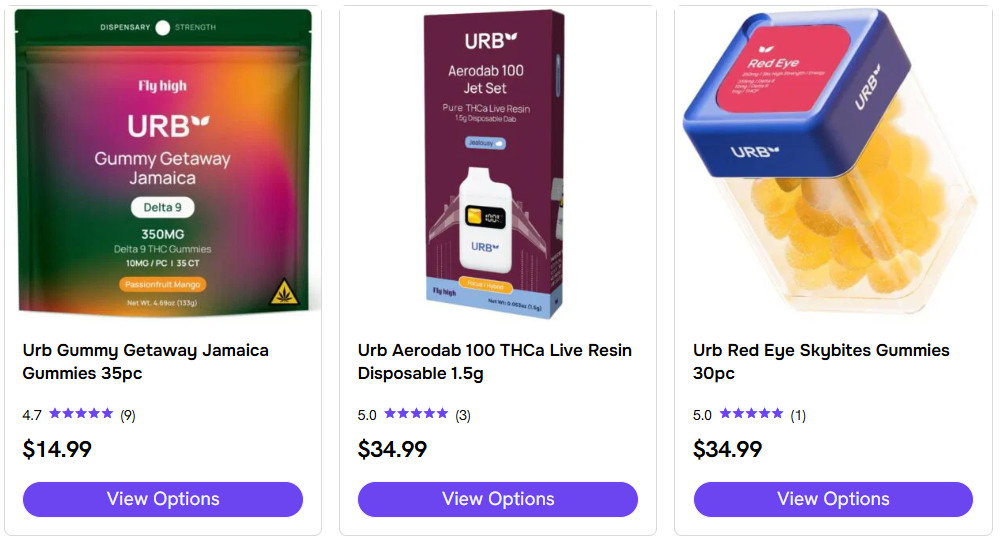
When considering the Urb vape device, crucial elements like its sleek design and modern technology stand out. Each component plays a role in delivering a smooth vaping experience, whether you’re using a disposable vape pen or a rechargeable device.
Components and Design
Urb vape devices often showcase a modern design with a sleek form factor, making them both stylish and discreet. Key components include a durable mouthpiece, an efficient heating element, a battery with adequate battery capacity, and on some models a digital display screen or digital battery screen; many devices also charge through a USB-C port. The charging port allows for easy recharge, and the elegant yet simple construction means there are typically no buttons, as many devices automatically activate upon draw.
Types of Urb Vapes
Urb offers a variety of vape types, including disposable devices in formats such as Liquid Badder and THCB, giving customers a few options depending on whether they want nicotine or cannabinoids. Some urb delta models and other disposables feature different cannabinoid liquid blends like delta-8, delta-9 THC-P, and delta-8 THC-P, so it helps to verify the exact product before you purchase.
Urb Vape Product Range
The Urb vape product range includes disposable vapes and other disposables with a spectrum of flavor options for different preferences, and some Urb disposable options come in six different strengths across different urb products. These pre-filled devices can contain signature blends of vape juice, tetrahydrocannabinol (THC), or other cannabinoids, including live resin for richer flavor and the entourage effect in select blends. For example, Urb Delta 8 Live Resin Disposable features six delightful flavors, Sweet Island OG has a fruity profile, and Delta 10 Lemonade Kush blends lemonade with earthy kush notes within a broader range of tropical, savory, and refreshing options. That mix can create a balanced experience with smooth draws for a unique experience and a more premium experience tailored to your taste. You may also see Urb Delta options among these cannabinoid blends, so verify the exact model before purchase.
Safety Features
Urb devices are designed with your safety in mind. Some Urb products also use live resin for fuller flavor and a more unique experience. They include features to prevent overheating and maintain the correct temperature to provide a safe vaping experience. For the best results, follow proper storage practices by keeping the device upright in a cool, dry place and away from extreme temperatures, which can affect performance and shelf life.
Convenience and Portability

The Urb vape is known for its convenience and portability. These disposable vapes are easy to use, often come fully charged and ready to use, and proper storage helps protect device function and shelf life so they can perform well over an extended period. Avoid extreme temperatures, and store the Urb Vape upright in a cool, dry place.
Price and Availability
Urb vapes balance price and availability. These disposable vapes are ready to use, easy to carry on the go, and each can deliver hundreds of puffs over time. They are widely accessible both in stores and online, giving customers several ways to purchase authentic urb products at a competitive price for the quality and long-lasting battery life they provide.
Battery Life and Capacity
Urb vape devices, whether disposable or rechargeable, have a reputation for long-lasting battery life, and some models, such as the Aerovape 710 Clarity, include a battery life display so users can see how much battery life remains. You can buy Urb products in stores or online, but verify authenticity before purchasing, since the battery capacity also supports consistent performance without frequent interruptions.
Legal and Usage Considerations
Make sure to understand the legalities of vaping products such as Urb in your area, especially products containing THC. Urb devices cater to various legal restrictions by offering options like nicotine or delta-8 THC-P, depending on what’s allowed in your location.
Initial Setup and Usage
| Aspect | Description |
| Product Name/Model | Urb Vape (or specific model name) |
| Components in the Box | List of items included in the package (e.g., battery, cartridge, charging cable, user manual). |
| Battery Type | Information about the type of battery used (e.g., rechargeable lithium-ion). |
| Charging Procedure | Steps to charge the device. Indicate whether it uses a USB charger and the average charging time. |
| Power On/Off | Instructions on how to turn the device on and off. |
| Vaping Technique | Explanation of the inhalation technique (e.g., button-activated, draw-activated). |
| Adjustable Settings | If applicable, describe any adjustable settings (e.g., variable voltage, airflow control). |
| Cartridge Installation | Steps to install or replace the vape cartridge. |
| Prime the Coil | Instructions on priming the coil to ensure proper wicking. |
| Recommended Temperature | If applicable, specify the recommended temperature range for optimal performance. |
| Safety Features | Highlight any safety features (e.g., automatic shut-off, short circuit protection). |
| Cleaning and Maintenance | Guidance on cleaning the device and maintaining its performance. |
| User Manual | Encourage users to refer to the provided user manual for comprehensive instructions and safety information. |
Proper setup and initial handling are crucial for the optimal performance of your Urb vape. This section will guide you through the key steps to get your device up and running, from charging the battery to taking your first puff.
Charging Your Urb Vape
Your Urb vape comes with a rechargeable battery that needs to be fully charged before first use. Locate the charging port—typically at the bottom of the pen—and use the provided USB charger to connect your device to a power source. A complete charge is usually achieved in a couple of hours, and a solid light often indicates a full battery life.
Turning on the Urb Vape
To turn on your vape pen, most models require a series of clicks on the power button. Typically, five rapid clicks will power on the device. You should see the button’s light flash, signaling the device is ready for use.
Understanding the Heat Setting
The heat setting, controlled by the voltage, affects the intensity of your vapor. Most devices offer a range of settings that you can cycle through by pressing the power button three times. The color of the button’s light may change with each setting, indicating low, medium, or high voltage.
Ensuring Proper Airflow
For the best vaping experience, ensure your device’s airflow is not obstructed, since blockages can reduce vapor production. If you suspect the device is clogged, you can often clean it by gently blowing into the mouthpiece or using a thin tool to remove any residue, and pressing the button three times cycles through different voltage settings.
Priming the Vape Pen
Before you start vaping, it’s important to prime the pen because blocked airflow can reduce vapor production, and some devices also offer a pre heat function that helps warm the oil and clear minor clogs. To do this, first make sure any obstructions are removed before using the device, then take a few short inhales without activating the heat to allow the e-juice to be drawn into the wick.
Instructions for First Use
When using the Urb vape for the first time, make sure it’s fully charged and primed. Then, select your desired heat setting. Start with the lowest setting to understand how the device functions and how you react to the vapor strength.
Using the Mouthpiece Cover
To maintain hygiene and protect your device, use the mouthpiece cover when not in active use. It keeps the mouthpiece clean and free from debris. Always ensure the cover is securely attached to prevent it from getting lost.
Maintaining Your Urb Vape

Maintaining your Urb Vape ensures optimal performance and longevity. This involves regular cleaning, addressing any clogs or vapor quality issues, knowing when to replace components, proper battery management, and understanding when it’s time to dispose of the device.
Cleaning and Care
To keep your Urb Vape in top condition, clean it regularly by using alcohol and a cotton swab to gently remove residue from the mouthpiece and battery connection. Ensure all components are dry before reassembling.
Troubleshooting a Clogged Vape
If your device is clogged, gently warm the vape by taking short puffs without inhaling or use a hairdryer on low setting to soften the buildup. Then, clear the blockage with a fine tool or by puffing forcefully.
When to Replace or Refill
Replace the cartridge when you notice a decline in vapor or an off-taste, which often signals a burnt coil. If you’re using an Urb disposable vape, discard the unit once the vapor ceases or flavor diminishes.
Dealing with Vapor Quality Issues
Poor vapor quality could come from a low battery charge or an overused cartridge. Ensure your Urb Vape is adequately charged and replace the cartridge if the vapor tastes burnt or the production is low.
Customer Service and Support
For complex issues beyond basic care and maintenance, reach out to customer service. They can provide guidance on safety, warranty, and support services.
Battery Management
Charge your battery before it’s fully drained to extend its life. When charging, follow the manufacturer’s instructions. Do not overcharge, as this may reduce the battery’s efficacy.
Understanding When to Dispose of the Urb Vape
Dispose of your Urb Vape properly when it’s no longer functioning, even after troubleshooting, or if the battery ceases to turn on. Follow local regulations for disposing of the device to ensure environmental safety.
Frequently Asked Questions
Understanding how to correctly operate your Urb vape is essential for a smooth and enjoyable vaping experience. Below you’ll find a series of frequently asked questions addressing the activation, use, and troubleshooting of Urb vape devices.
How do you activate the Urb vape pen when ready for use?
To activate your Urb vape pen, first, ensure that the pen is charged. Then, depending on your specific model, you may need to press the power button five times rapidly to turn it on. Some models may also require you to hold down the button while inhaling for activation.
What steps should be taken if an Urb vape pen is not functioning?
If your Urb vape pen is not functioning, check to ensure it is adequately charged or that there is no connection problem between the cartridge and the battery. Cleaning the connection with a cotton swab dipped in rubbing alcohol can sometimes resolve the issue.
What are the instructions for using a disposable Urb vape?
Using a disposable Urb vape is straightforward as they are typically ready to use out of the packaging. Start by removing any packaging or rubber caps, then simply draw from the mouthpiece. Most disposables do not have buttons or settings to adjust.
How can you troubleshoot an Urb 3g vape device that won’t turn on?
For troubleshooting an Urb 3g vape device, verify the charge level of the device first. If the device is charged but won’t turn on, inspect the cartridge to ensure it’s screwed on tightly but not overtightened. Sometimes reconnecting the cartridge can help resolve the issue.
What method is used to adjust the Urb vape pen power settings?
To adjust the power settings on your Urb vape pen, you usually need to press the power button three times in rapid succession. This action typically cycles through different voltage settings indicated by a change in the LED light colors on the device.
Why might an Urb disposable vape fail to work, and how can it be fixed?
An Urb disposable vape might fail to work if the battery is depleted or if there’s a connection issue with the heating element. Unfortunately, if the battery is dead, the disposable cannot be fixed. To prevent connection issues, avoid dropping or mishandling the device.